Appendix 5. Grid References
Pages 180–183
Appendix 5
Grid References
How To (Easily) Fix A Grid Reference You have just made a good find that is worth recording, so you would like to show where you found it and give it a grid reference. This can then also be used to record your finds with the PAS. I find the best map to use is the Explorer OS (orange) series, which show field boundaries and have a 1:25,000 scale. Each map has unique letters (i.e. SU), printed in the information section on the right hand side of the map, or in all four corners. This will be the first part of your grid reference. The map squares represent a kilometre (1000m) square. You could just give a four figure grid reference, which simply says in which square km the object was found. The phrase to remember is “bottoms up!” meaning that you start with the numbers along the bottom (giving East-West) and finish with the numbers going upwards (North-South). So here it would be SU 34 16. Yet this is not very accurate, and the PAS (rightly) prefer a more detailed reference (although this is withheld from the public). So the trick is to imagine each square is split into tenths. You can then estimate the nearest tenth and put that in the reference. So, in our example above, the six figure grid reference becomes SU 344 166, and this now pins our find to a square of only 100m sides. Of course, a GPS reading will be more accurate still! There is also a very good site called “magic” where you can get a grid reference: www.magic.gov.uk/ Follow the link to map, click on interactive map, then the demonstration map. Use bottom left icons to move to your area/field. Click on top left hash (it will change to red). Click pointer on your find area, and you can read off the grid reference.

Recommended Reference Book
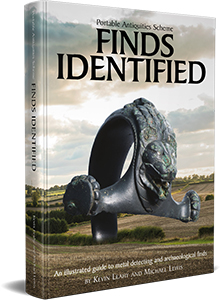
Finds Identified
One of the most useful reference books available to metal detectorists. Produced by the Portable Antiquities Scheme and the British Museum, this illustrated guide helps identify and understand archaeological finds from the Stone Age through to the modern era.